Dunkin’ Rewards App: Points, Perks & Mobile Ordering
DUNKIN’ REWARDS, APP OFFERS & MOBILE ORDERING
Dunkin’ Rewards App: Points, Perks & Mobile Ordering
The Dunkin’ Rewards app combines points, account offers, mobile ordering, saved favorites, and reward redemption in one place. Members earn points on qualifying purchases, can reach Boosted Status with frequent visits, and can convert points into food or drink rewards. The best value comes from understanding when to earn, when to convert, and when an offer beats a reward.
10 pts / $1
Base earning rate on qualifying purchases
12 visits
Qualifying visits needed for Boosted Status in a calendar month
150 points
Starting point level for a reward category
3X birthday points
Birthday bonus on an eligible activated day
This page focuses on the Dunkin’ app and Rewards mechanics. Use the Dunkin menu for standard food and drink prices, the Dunkin’ happy hour page for time-based promotions, and the Dunkin’ secret menu for customization ideas. Keeping those topics separate makes it easier to judge the app’s real savings value.
What are the best ways to use the Dunkin’ Rewards app?
Start by signing in before you order so qualifying purchases can earn points automatically. Check the offer area before converting points because a bonus-points or discounted-item offer can be more valuable than spending a reward. The official Dunkin’ Rewards page lists the base earning rate, Boosted Status, birthday bonus, and starting reward threshold.
Frequent customers should watch the visit counter because 12 qualifying visits in one calendar month trigger Boosted Status. Occasional customers can focus more on saving points for a reward they actually want rather than chasing a visit target. The Starbucks vs Dunkin’ comparison can help when the bigger question is which coffee chain gives the better overall value.
Dunkin’ Rewards app at a glance
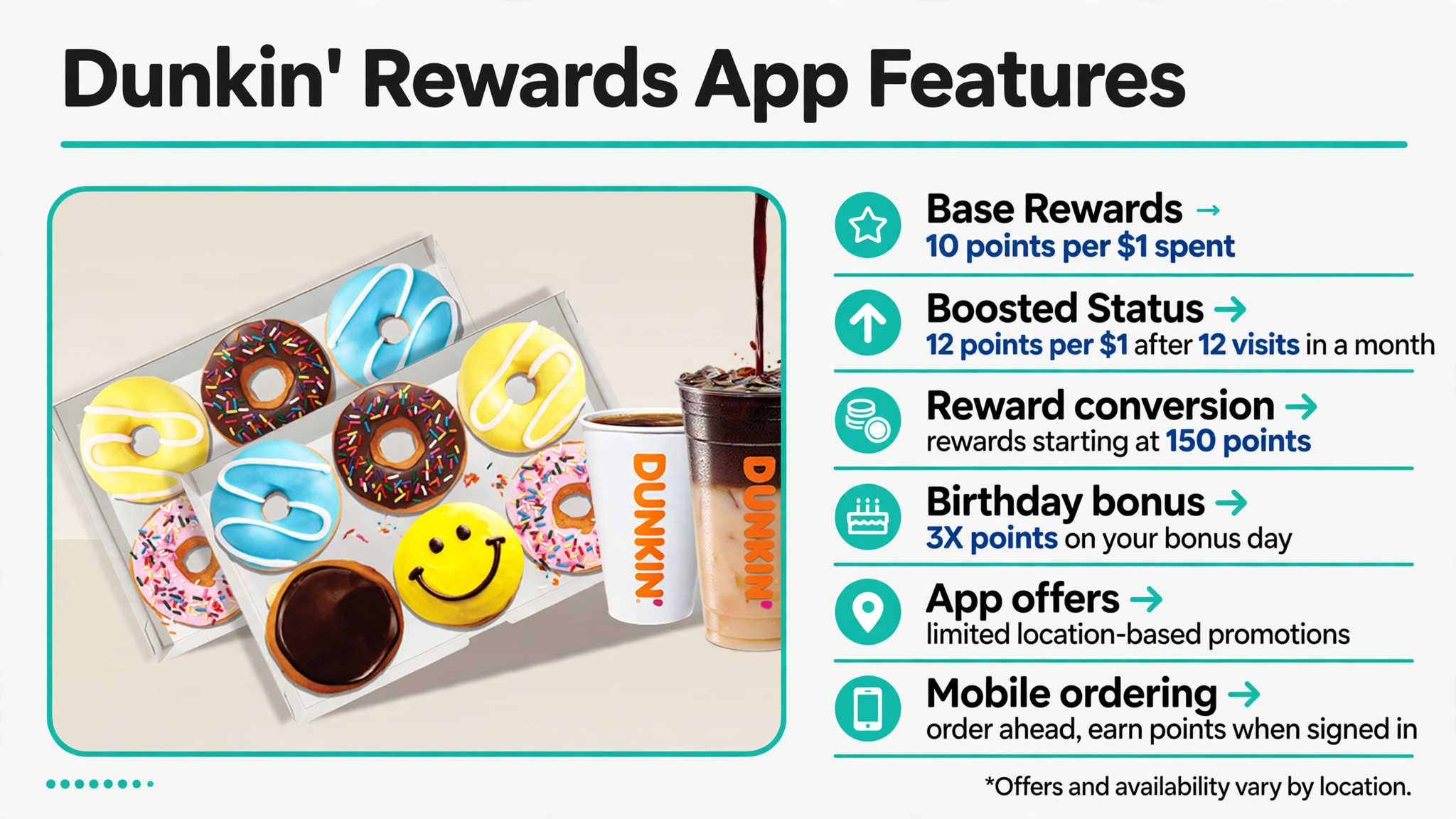
The app combines several savings tools, but each one has a different timing rule. Points build from qualifying purchases, converted rewards have their own expiration window, and limited app offers can use separate conditions. The table below shows the main pieces before you decide how to use the account.
| App feature | How it works | What to check |
|---|---|---|
| Base Rewards | Earn 10 points per eligible $1 spent. | Signed-in account, participating store, qualifying products, and excluded purchases. |
| Boosted Status | Earn 12 points per eligible $1 after 12 qualifying visits in a calendar month. | Visit count, 60-minute spacing between qualifying visits, and status period. |
| Reward conversion | Turn points into food or drink rewards starting at 150 points. | Available reward categories, 30-day expiration after conversion, and item eligibility. |
| Birthday bonus | Earn 3X points on an eligible activated birthday bonus day. | Birthday saved to the account and activation timing. |
| App offers | Receive limited promotions that can depend on location or purchase history. | Activation, participating stores, expiration, and offer-specific exclusions. |
| Mobile ordering | Order ahead, customize, save favorites, and earn points when signed in. | Pickup method, participating location, item availability, and account sign-in. |
The app is most useful when these features work together without forcing a larger order. A bonus-points offer can be better for a paid purchase, while a converted reward can be better when you want to reduce the cash total. The Dunkin’ vs Dutch Bros comparison provides another coffee-chain reference when you want to compare regular prices rather than loyalty mechanics.
How do you earn Dunkin’ Rewards points?
Dunkin’ Rewards members earn 10 points for each eligible $1 spent at participating stores. The earning rate is the same whether you pay with cash, credit or debit, an enrolled Dunkin’ Card, Apple Pay, or Google Pay, as long as the purchase is connected to the Rewards account. In-store customers need to scan the Rewards ID before paying unless the payment method is already linked to the account.
Qualifying purchases include most Dunkin’ products, but several categories do not earn points. Gift-card purchases or reloads, reward coupon redemptions, retail merchandise, charitable donations, and products bought through certain outside platforms are excluded under the program FAQ. Use the Dunkin menu to compare the regular price of an item before deciding whether points meaningfully improve its value.
Mobile orders earn points when you are enrolled in Rewards and signed in before placing the order. Guest Checkout does not earn loyalty points under Dunkin’s mobile-order terms. That makes signing in one of the simplest ways to avoid missing points on a purchase you were already making.
What is Dunkin’ Boosted Status?
Boosted Status is the higher earning tier inside Dunkin’ Rewards. A member who completes 12 qualifying visits in a calendar month earns 12 points per eligible $1 instead of the standard 10. Dunkin’s program terms keep that higher rate through the remainder of the qualifying month and the next three consecutive calendar months.
A qualifying visit must include a point-eligible purchase, and separate visits need to be at least 60 minutes apart. Redeeming only a free reward does not count as a qualifying visit toward Boosted Status. The visit counter resets at the start of each calendar month, even while a member already has Boosted Status.
Frequent Dunkin’ customers can benefit from the 20% higher earning rate without changing what they buy. Customers who visit less often should not add unnecessary purchases just to reach the threshold. The McDonald’s app deals page offers a useful comparison because its loyalty system emphasizes a different earning and redemption structure.
How do you turn Dunkin’ points into rewards?
Reward conversion starts at 150 points, and the available food and drink categories are shown inside the app. Dunkin’ allows members to save points for higher reward tiers or convert more than one reward for the same transaction when the individual reward terms allow it. Converting only when you are ready to order helps protect the value of your point balance.
Once points are converted, the resulting reward generally expires 30 days later. The app shows converted rewards separately from the point balance, which makes it easier to see what needs to be used first. If you are comparing the cash value of a reward with another coffee chain, the Starbucks vs Dunkin’ comparison can provide price context.
The best redemption is not always the reward with the highest point requirement. Compare the normal item price with the number of points required, then choose a reward for something you would otherwise pay for. That approach keeps the program focused on real savings instead of simply emptying the point balance.
How do Dunkin’ birthday points and app offers work?
Dunkin’ gives eligible Rewards members a birthday bonus of 3X points on purchases. The bonus can be activated for the day before the birthday, the birthday itself, or the day after, which gives some flexibility around when to use it. The account needs a saved birthday for the bonus to appear.
App offers can be broader or more targeted than the standard Rewards program. Dunkin’s app terms say offers may depend on location or purchasing history, can be limited to participating stores, and can carry their own redemption conditions. Some promotional offers also require activation before an eligible mobile order or in-store scan.
Because these offers change, it is better to check the app before ordering than to rely on an old screenshot or copied code. Time-based promotions belong on the Dunkin’ happy hour page, while this page stays focused on how the Rewards account and app function.
How to place a mobile order in the Dunkin’ app
Open the app, sign in to the Rewards account, and choose the Dunkin’ location that will prepare the order. Select the available pickup method, add and customize the food or drinks, then review any active offer or converted reward before checkout. Dunkin’s official mobile app page also highlights ordering ahead, saved favorites, and quick reordering.
- Sign in before starting the order so eligible purchases can earn Rewards points.
- Choose the participating Dunkin’ location and an available pickup method.
- Add and customize the items you actually want rather than increasing the basket for a weak offer.
- Activate an eligible app offer or apply a converted reward before payment when its terms allow it.
- Review the final subtotal, pickup method, and account status before placing the order.
Mobile ordering is useful because it keeps points, offers, customization, and payment in the same flow. Menu items and prices can differ by location, and an item shown at one store may not be available at another. The Burger King app page is another useful comparison for how a restaurant app combines loyalty and ordering.
Can you earn or redeem Dunkin’ Rewards on delivery?
Dunkin’s Rewards FAQ says delivery orders do not earn points and cannot redeem Rewards. That applies even though the app can support other ordering features for pickup. If Rewards value matters more than delivery convenience, a pickup order is the safer route for earning or using points.
Delivery can still make sense when transportation or time matters more than loyalty value. Compare the full delivery total with the pickup total because menu prices, service fees, and third-party charges can change the economics of the order. The Dunkin’ vs Dutch Bros comparison can help when your decision is mostly about drink prices rather than delivery.
Do not assume that paying through a linked Dunkin’ account changes the delivery rule. The program FAQ separates delivery from eligible in-store and pickup earning. Treat delivery as a convenience option rather than a Rewards-earning shortcut.
When do Dunkin’ points and rewards expire?
Dunkin’ Rewards points expire 12 months after the last day of the month in which they were earned. For example, points earned early in a month do not expire exactly 365 days later because the program uses the end of the earning month as the starting reference. Different batches of points can therefore have different expiration dates inside the same account.
Converted reward coupons use a much shorter clock and generally expire 30 days after conversion. That is why it is better to keep points unconverted until you have a specific item in mind. The Dunkin menu can help you compare the regular cash price before choosing which reward to activate.
Check the app’s account and reward areas before a large redemption so older points and converted rewards are not overlooked. Using an expiring reward for something you would normally buy can create more value than saving it for a higher-priced item you may never order. The expiration rules make timing part of the Rewards strategy.
Why are my Dunkin’ Rewards points or offers not working?
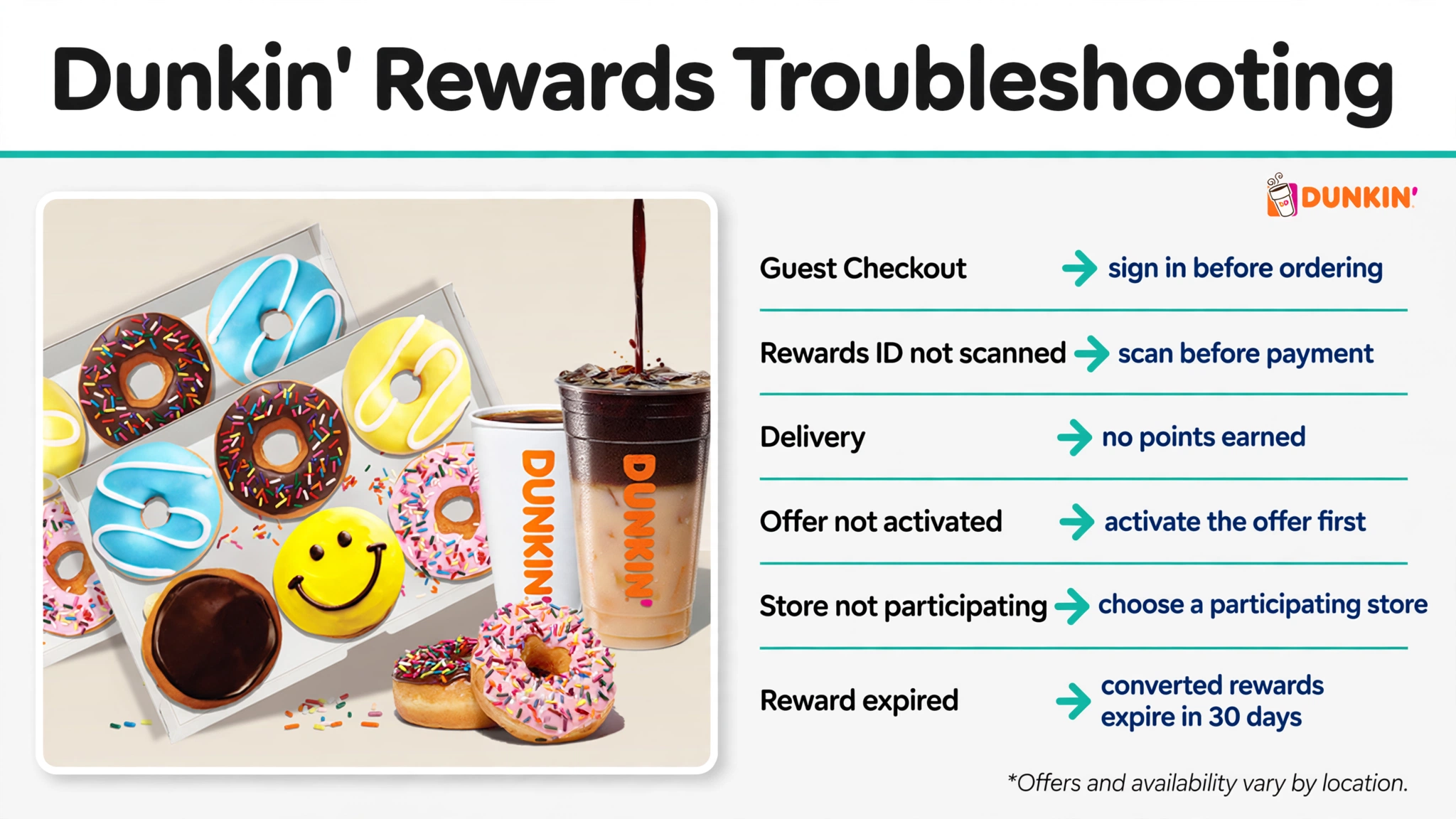
Most app problems come from account status, store participation, order method, or offer eligibility rather than the point system itself. A guest mobile order will not earn Rewards points, delivery does not earn or redeem rewards, and some app offers only work at selected locations. Use the table below to isolate the likely cause before rebuilding the order.
| Possible issue | What it means | What to try |
|---|---|---|
| Guest Checkout used | The mobile order was not tied to the Rewards account. | Sign in before placing the next eligible mobile order. |
| Rewards ID not scanned | The in-store purchase may not be attached to the account. | Scan the Rewards ID before payment or use an enrolled Dunkin’ Card when eligible. |
| Delivery selected | Delivery orders do not earn points or redeem Rewards. | Switch to an eligible pickup or in-store purchase if Rewards matter. |
| Offer not activated | Some promotions require activation before purchase. | Open the offer, activate it, and recheck the qualifying basket. |
| Store not participating | Not every Dunkin’ location participates in Rewards or every app offer. | Select another participating location if practical. |
| Reward expired | Converted rewards generally expire 30 days after conversion. | Choose an active reward or keep points unconverted until needed. |
If a transaction still looks wrong, compare the receipt or order history with the account activity before making another purchase. Keep screenshots of an active offer only for troubleshooting, not as a reusable coupon. The Wingstop app page provides another example of how restaurant loyalty programs tie eligibility to the signed-in account and order channel.
When is the Dunkin’ Rewards app worth using?
The app has the most value for customers who already visit Dunkin’ and can earn points without changing their normal routine. Order-ahead tools and saved favorites can also reduce friction even when no special offer is available. Boosted Status adds more value for frequent visitors, while occasional customers can still benefit from base points and account offers.
The app is less useful when delivery is the only practical option because delivery does not earn or redeem Rewards. It can also lose value when an offer encourages a larger purchase than you intended. The strongest savings usually come from combining ordinary buying habits with points, carefully timed reward conversion, and offers that match the basket.
For more comparisons involving restaurant apps, rewards, and pricing, the Blog section keeps those topics together. That makes it easier to compare loyalty systems without mixing them with menu-only or secret-menu intent. Use the app when it improves the order you already wanted rather than letting the app decide what to buy.
Frequently Asked Questions
How many Dunkin’ Rewards points do you earn per dollar?
Members earn 10 points for each eligible $1 spent at participating Dunkin’ locations. Boosted Status increases that rate to 12 points per eligible $1.
How do you get Boosted Status at Dunkin’?
Complete 12 qualifying visits in a calendar month. Qualifying visits must include a point-eligible purchase and need to be at least 60 minutes apart.
How many points do you need for a Dunkin’ reward?
Reward redemption starts at 150 points. Higher point levels unlock additional food and drink reward categories shown in the app.
Do Dunkin’ Rewards points expire?
Yes. Points expire 12 months after the last day of the month in which they were earned. Different groups of points can therefore have different expiration dates.
How long do converted Dunkin’ rewards last?
Converted rewards generally expire 30 days after conversion. Waiting until you are ready to order can reduce the chance of losing an unused reward.
What is the Dunkin’ birthday reward?
Eligible members receive a 3X-points birthday bonus. It can be activated for the day before the birthday, the birthday itself, or the day after.
Can you use more than one Dunkin’ reward in one order?
Yes. Dunkin’s FAQ says more than one reward can be redeemed in a single transaction when the individual reward terms allow it. Check each reward’s description before applying multiple rewards.
Can you earn Dunkin’ Rewards with cash or a credit card?
Yes. Eligible points can be earned with cash, credit or debit, an enrolled Dunkin’ Card, Apple Pay, or Google Pay. The Rewards account still needs to be identified before payment.
Do Dunkin’ delivery orders earn Rewards points?
No. Dunkin’s Rewards FAQ says delivery orders do not earn points and cannot redeem Rewards. Pickup and eligible in-store transactions are the better choices when loyalty value matters.
Do guest mobile orders earn Dunkin’ Rewards points?
No. Dunkin’s mobile-order terms say Guest Checkout does not earn loyalty points. Sign in to the Rewards account before placing an eligible mobile order.