McAlister’s Deli Secret Menu: 10 Sandwich, Spud & Tea Hacks
McALISTER’S DELI USA • SECRET MENU
McAlister’s Deli Secret Menu: 10 Sandwich, Spud & Tea Hacks
McAlister’s does not advertise a nationwide hidden-menu board, but its regular ordering system is unusually flexible. Choose 2 combinations, bread and side swaps, customizable Giant Spuds, salad choices, and crafted tea drinks make it easy to build a meal that feels off-menu without asking for an invented recipe.
Options and upcharges vary by restaurant. Start with a listed sandwich, salad, soup, spud, or beverage, then use the choices shown by the selected location.
10
practical hacks
Choose 2
mix two half entrees
Spuds
premium toppings available
Tea + Purée
custom beverage route
McAlister’s strongest custom orders use choices that are already built into the menu. Choose 2 lets you pair half entrees, many sandwiches offer bread and side substitutions, Giant Spuds can take premium toppings, salads have broad dressing choices, and beverages can combine tea, lemonade, soda, and fruit purées.
Does McAlister’s Deli Have a Secret Menu?
McAlister’s does not advertise a separate nationwide secret menu. The practical version is its customization system. Instead of memorizing hidden names, you can combine half entrees, change bread or sides, adjust salad components, build up a Giant Spud, or tailor a Famous Tea drink.
For the regular categories and representative prices, use the McAlister’s Deli menu. Promotions and time-based offers belong on the fixed McAlister’s Deli happy hour page, so this article stays focused on everyday customization.
If you like sandwich-chain customization, compare the Jason’s Deli secret menu, Potbelly secret menu, and Jimmy John’s secret menu. Each chain handles bread, sides, portions, and add-ons differently.
McAlister’s Secret Menu: 10 Hacks at a Glance
The first five hacks focus on Choose 2, sandwiches, bread, and sides. The next five cover Giant Spuds, salads, and Famous Tea. Every idea starts with an option McAlister’s already presents through its menu or ordering pages.
| Hack | Start with | Change | Why it works |
|---|---|---|---|
| Sandwich + Salad Choose 2 | Choose 2 | Half sandwich + half salad | Official mix-and-match format |
| Sandwich + Soup Choose 2 | Choose 2 | Half sandwich + cup of soup | Official mix-and-match format |
| Half Entrée + Side | Half Entrée and Side | Pick one half entrée + side | Smaller flexible meal |
| Sandwich Bread Swap | Eligible sandwich | Choose another listed bread | Ordering pages support bread substitutions |
| Sandwich Side Swap | Whole sandwich | Choose chips, mac & cheese, salad, soup, or another listed side | Included-side flexibility |
| Custom Giant Spud | Any eligible Giant Spud | Add premium meats, veggies, cheese, or sauce | McAlister’s promotes spud customization |
| Ranch Swap on Chicken Bacon Ranch Spud | Chicken Bacon Ranch Spud | Buttermilk Ranch or Chipotle Ranch | Official dressing choice |
| Vegetarian Salad Build | Eligible salad | Remove protein where supported | McAlister’s catering pages support vegetarian salad customization |
| Salad Dressing Swap | Eligible salad | Choose another listed dressing | Many official dressing choices |
| Tea-Lemonade Purée Build | Famous Tea or lemonade | Mix tea/lemonade and add fruit purée | Official crafted beverage system |
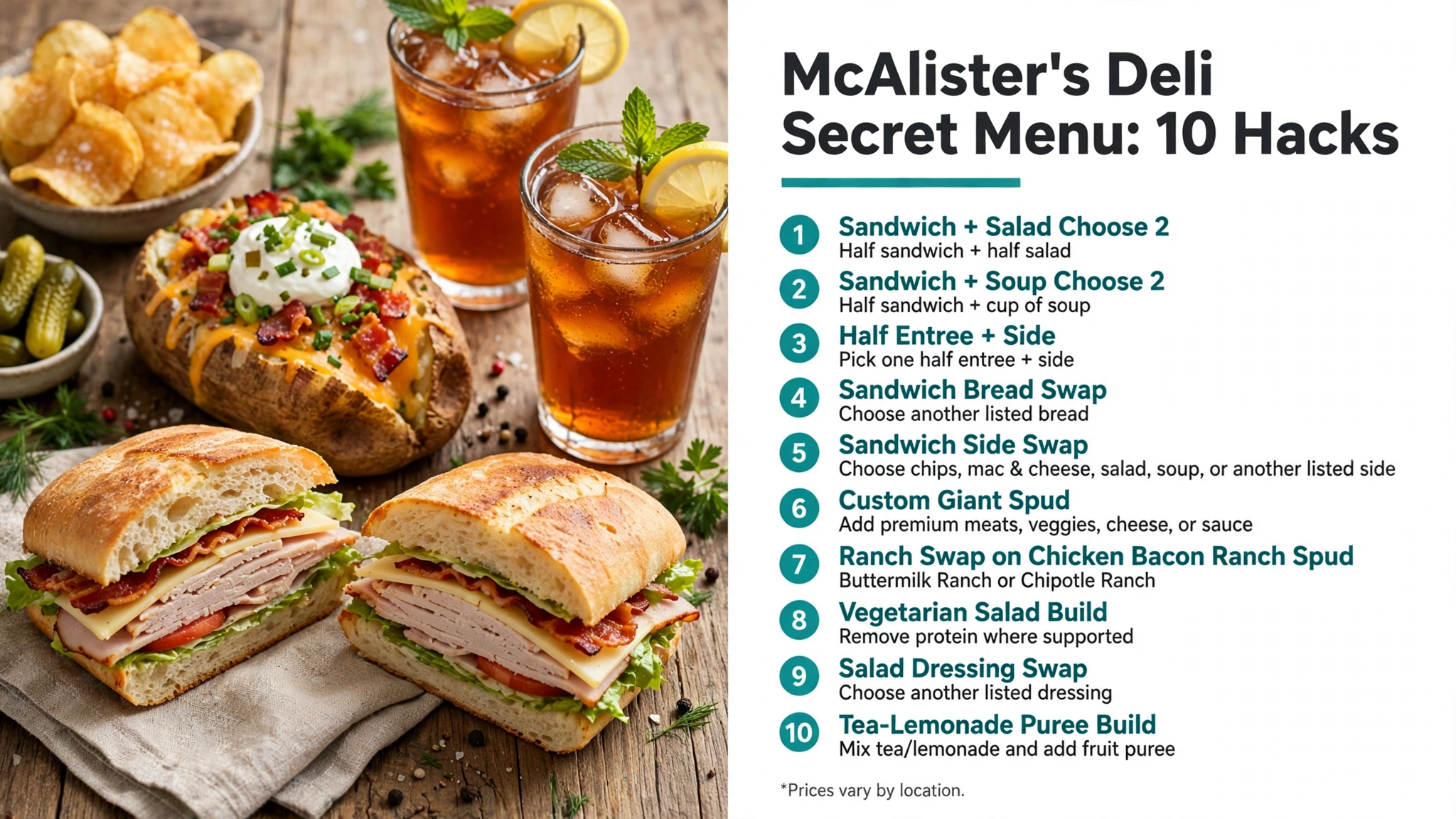
The best hack depends on what you want to change. Choose 2 is strongest for variety, a bread or side swap changes a sandwich without rebuilding it, and a custom spud gives you the most control over toppings. For broader lower-cost meal ideas, see best fast-food meals under $10.
5 Choose 2 and Sandwich Hacks
1. Pair a Half Sandwich With a Half Salad
McAlister’s Choose 2 is built for diners who want two smaller entrees instead of one full item. Pair a half sandwich with a half salad to get contrasting textures and flavors without ordering two full meals. Official examples pair items such as a savory sandwich with a chopped or Southwest-style salad.
Start with the sandwich you care about most, then choose the salad that balances it. A rich club or grilled sandwich works well with a fresher salad, while a lighter sandwich can pair with a salad that includes cheese, nuts, avocado, or a creamy dressing. Dressing is usually served separately or selected during ordering, so that choice adds another layer of control.
2. Pair a Half Sandwich With a Cup of Soup
Choose 2 can also pair a half sandwich with a cup of soup at participating locations. McAlister’s catering ordering pages list soups such as Cheddar Broccoli, Chicken Tortilla, Chili, Country Potato, and Veggie Chili in Choose 2 configurations. The exact soup lineup changes by restaurant.
This combination is useful when you want a warm side that feels more substantial than chips. Match a simple turkey or roast beef sandwich with a richer soup, or pair a bolder sandwich with a lighter soup when available. For another deli chain with soup-and-sandwich flexibility, compare the Jason’s Deli secret menu.
3. Use the Half Entrée + Side Format
McAlister’s main menu also advertises a Half Entrée and Side format at participating restaurants. This is a useful middle ground when you do not need two half entrees but still want a smaller main item plus a side. Check the restaurant’s ordering screen to see which half entrees qualify.
The value comes from choosing a side you actually want instead of automatically adding a second full item. A cup of soup, side salad, mac and cheese, or another listed side can make the meal feel complete while keeping the main portion smaller. Participation and starting price can vary.
4. Swap the Bread on an Eligible Sandwich
McAlister’s individual sandwich ordering pages can offer a wide bread list. A recent Spicy Turkey Melt ordering page, for example, shows choices such as croissant, marbled rye, wheat wrap, sliced wheat, baguette, ciabatta, country white, gluten-free bread, jalapeño roll, and 9-grain bread.
A bread swap can change the sandwich more than adding another sauce. A jalapeño roll adds heat, marbled rye gives a deli-style profile, a croissant is softer and richer, and a wheat wrap changes the format entirely. Use only the substitutions shown for the sandwich you selected because not every bread is guaranteed on every item.
5. Swap the Included Sandwich Side
Eligible whole sandwiches can show several included-side choices during ordering. Options can include chips, regular mac and cheese, a side garden salad, a side Caesar salad, a cup of soup, or no side. That makes the side one of the easiest meal-level changes.
Choose the side based on the rest of the sandwich. A rich club may pair better with a garden salad, while a leaner sandwich can handle mac and cheese. If you mainly want soup, compare the full sandwich-plus-soup total with a Choose 2 before deciding. The Firehouse Subs secret menu offers another sandwich-chain customization comparison.
5 Spud, Salad, and Tea Hacks
6. Make a Giant Spud Your Own
McAlister’s explicitly tells guests to make its Giant Spuds their own with premium toppings. Available additions can include vegetables, meats, cheese, and sauces, depending on the restaurant. That makes a basic Cheese Spud, Bacon Spud, Veggie Spud, Spud Max, or another listed potato a practical base for customization.
Start with the closest standard spud rather than building an unrelated pile of toppings. If you want extra vegetables, begin with a Veggie Spud. If you want several deli meats, Spud Max already provides a strong base. This keeps the order simpler and makes added charges easier to follow.
7. Swap the Ranch on a Chicken Bacon Ranch Spud
McAlister’s Chicken Bacon Ranch Spud combines grilled chicken, bacon, cheddar-jack, ranch, and green onions. Its official high-protein spud page shows a choice of Buttermilk Ranch or Chipotle Ranch. That one swap changes the heat level without changing the chicken, bacon, cheese, or potato.
Use Buttermilk Ranch for the familiar creamy version or Chipotle Ranch when you want a smoky, spicier finish. If you add another premium topping, do it after choosing the dressing so the final spud does not become overloaded with competing flavors.
8. Turn an Eligible Salad Vegetarian
McAlister’s catering salad information says salads can be customized to vegetarian by removing the protein. That is a useful approach for salads built around greens, vegetables, cheese, fruit, nuts, or dressing. It is more reliable than assuming every named salad is vegetarian by default.
Removing chicken or another meat changes the nutrition and protein content, so consider whether another vegetarian component is available if you want a more filling meal. Ingredient and cross-contact questions should still be checked with the restaurant. For another full-service customization comparison, the Cracker Barrel secret menu also uses menu-supported component swaps.
9. Change the Salad Dressing
McAlister’s salad ordering pages offer a broad list of dressings. Choices can include Buttermilk Ranch, Caesar, Sherry Shallot, Raspberry Pecan, Honey Mustard, Olive Oil and Balsamic Vinaigrette, Chipotle Ranch, Chili-Lime Vinaigrette, Thousand Island, and no dressing.
Changing the dressing can shift a salad from creamy to tangy, sweet, smoky, or lighter-tasting without changing the main ingredients. Because dressings can differ substantially in calories, sodium, sugar, and allergens, check the selected dressing rather than treating all options as interchangeable.
10. Build a Tea-Lemonade Drink With Fruit Purée
McAlister’s beverage menu is designed for customization. One official drink starts with half lemonade and half sweet tea, then adds strawberry purée. Other examples add strawberry, pineapple, black cherry, or peach purée to Famous Tea, lemonade, or soda.
A simple custom route is to choose sweet tea, unsweet tea, a half-sweet-half-unsweet blend, or a tea-and-lemonade base, then add one fruit purée if the store offers it. Keeping the drink to one purée makes it easier to taste the base and track any extra charge. McAlister’s Tea Pass FAQ also lists half-sweet-half-unsweet and tea-lemonade combinations as supported beverage formats.
How to Order McAlister’s Secret-Menu Hacks
McAlister’s custom orders are easiest when you follow the ordering screen from the base item outward. Pick the sandwich, Choose 2, Giant Spud, salad, or beverage first. Then make one bread, side, topping, dressing, or purée choice at a time.
- Select the restaurant first so its available breads, sides, soups, dressings, spud toppings, and beverage add-ins are visible.
- Choose the base item before making changes: sandwich, Choose 2, salad, Giant Spud, soup, or beverage.
- Use one menu-supported substitution at a time, especially for bread, sides, dressings, and premium spud toppings.
- For Choose 2, pick the two half items before adding extras so the meal stays easy to price.
- For beverages, choose the tea, lemonade, or soda base first, then add fruit purée only if you want it.
- Review the finished cart because premium toppings, avocado, upgraded sides, flavor shots, and delivery can change the total.
If you are ordering at the counter, name the listed item before the modification. Saying “Spicy Turkey Melt on marbled rye” is clearer than using a nickname the staff may not know. For another sandwich-focused set of modifications, see the Potbelly secret menu.
Prices and Availability
McAlister’s prices and available substitutions vary by restaurant. Premium toppings, avocado, upgraded sides, added purées, delivery fees, and some Choose 2 combinations can raise the total. A substitution that appears for one sandwich may not appear for another.
Use the McAlister’s Deli menu with prices as the planning reference on this site, then select the restaurant you intend to use. The restaurant’s ordering page is the final check for bread choices, soups, sides, dressings, toppings, and drink add-ins.
For official item availability and customization controls, use the McAlister’s menu. For more restaurant-specific customization pages, browse the Secret Menus category.
Nutrition and Allergen Notes
A bread swap, premium spud topping, salad dressing, soup choice, mac and cheese side, or fruit purée can materially change the nutrition of the finished order. The base entrée alone is not enough to estimate the complete meal.
McAlister’s provides item-level nutrition and an ingredient search, and its menu lets guests flag allergens and sensitivities. Use the official McAlister’s nutrition information for the exact components you select, especially when changing bread, dressing, cheese, sauces, or sides.
Guests with serious allergies should confirm ingredients and cross-contact concerns with the restaurant rather than assuming a substitution makes an item safe. A gluten-free bread option, for example, changes the bread but does not by itself establish that every sandwich component or preparation surface is free from gluten.
Frequently Asked Questions
Does McAlister’s Deli have a real secret menu?
McAlister’s does not advertise a separate nationwide hidden-menu board. Its practical secret menu comes from official Choose 2 combinations, bread and side swaps, custom Giant Spuds, salad choices, and crafted beverages.
What is McAlister’s Choose 2?
Choose 2 lets you combine two half-size eligible items on one plate. Pairings can include sandwiches, salads, soups, spuds, or other eligible choices depending on the restaurant.
Can I pair a half sandwich with soup at McAlister’s?
Yes, participating locations show Choose 2 combinations that pair a half sandwich with a cup of soup. The soup selection varies by restaurant.
Can I change the bread on a McAlister’s sandwich?
Many sandwich ordering pages show bread substitutions. The exact bread list depends on the sandwich and selected restaurant.
Can I swap the side that comes with a McAlister’s sandwich?
Eligible sandwiches can offer choices such as chips, mac and cheese, side salad, cup of soup, or no side. Use the choices shown during ordering.
Can I customize a McAlister’s Giant Spud?
Yes. McAlister’s promotes Giant Spuds as customizable with premium vegetables, meats, cheese, and sauces where offered.
Can I change the ranch on the Chicken Bacon Ranch Spud?
McAlister’s lists Buttermilk Ranch and Chipotle Ranch choices for the Chicken Bacon Ranch Spud on its high-protein spud page.
Can McAlister’s salads be made vegetarian?
McAlister’s catering information says salads can be customized to vegetarian by removing the protein. Check the remaining ingredients and dressing if you have additional dietary needs.
Can I change the dressing on a McAlister’s salad?
Yes. McAlister’s ordering pages show a wide range of dressing choices, including several vinaigrettes, ranch-style dressings, honey mustard, Caesar, and no dressing.
Can I customize McAlister’s Famous Tea?
Yes. McAlister’s supports sweet, unsweet, half-and-half tea combinations, tea with lemonade, and crafted beverages with fruit purées at participating locations.
Bottom Line
The McAlister’s Deli secret menu is best treated as a customization playbook. Choose 2 combinations, bread and side swaps, premium Giant Spud toppings, salad adjustments, and tea-and-purée drinks all use choices the restaurant already supports.
Start with the closest standard item, make one or two clear changes, and review the final cart before paying. For more sandwich and deli ideas, compare the Jason’s Deli secret menu, Jimmy John’s secret menu, or browse the Secret Menus archive.